Stop Guessing! the Floor Planner Creator Secret of 2026 Revealed
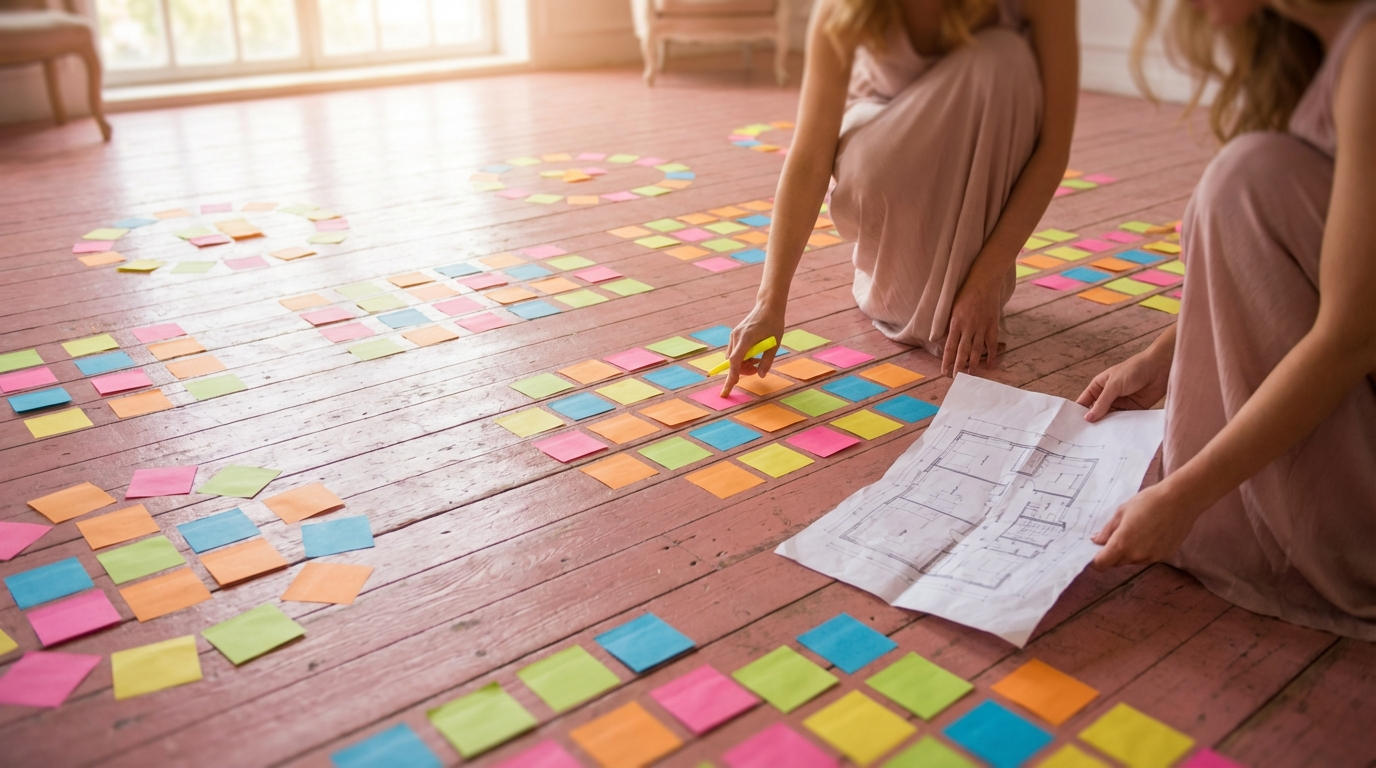
Planning a wedding, corporate event, or any large gathering can feel overwhelming. From guest lists to catering, there are countless details to manage. But one often overlooked aspect can make or break your event: the floor plan. In 2026, creating an effective floor plan is easier than ever, thanks to innovative floor planner creator tools. These tools allow you to visualize your event space, optimize traffic flow, and ensure that every guest has a comfortable and enjoyable experience. Stop guessing and start planning with precision!
Key Takeaways
- Floor planner creator tools are essential for visualizing and optimizing event layouts.
- Effective floor plans improve guest experience and traffic flow.
- Modern tools, like SeatingChartCreator.com, offer drag-and-drop functionality for easy design.
- Consider table types, seating arrangements, and accessibility when creating your floor plan.
- Avoid common mistakes like overcrowding and neglecting traffic flow to ensure a successful event.
Why You Need a Floor Planner Creator in 2026
In today's fast-paced world, efficiency and precision are key. Gone are the days of sketching floor plans on napkins or relying on guesswork. A floor planner creator provides a digital, interactive way to design your event layout. This is especially crucial in 2026, where expectations for seamless, well-organized events are higher than ever. But why is this tool so essential?
Design Your Perfect Seating Chart
Free drag-and-drop seating chart creator for weddings, events, and venues. Export professional PDFs in minutes.
Create Free Seating ChartFirst and foremost, a floor planner allows you to visualize your space. You can input the dimensions of your venue and then drag and drop tables, chairs, stages, and other elements to create a virtual representation of your event. This helps you understand how the space will actually look and feel, allowing you to make adjustments before the big day. Imagine being able to see exactly how a rectangular table configuration looks versus round tables without having to physically move furniture!
Secondly, a floor plan creator enables you to optimize traffic flow. You can experiment with different layouts to ensure that guests can easily move around the venue without bumping into each other or feeling crowded. This is particularly important for events with food stations, bars, or dance floors. A well-designed floor plan minimizes congestion and maximizes guest comfort.
Finally, using a floor planner helps you avoid costly mistakes. By visualizing your event space in advance, you can identify potential problems such as insufficient seating, blocked pathways, or poor stage placement. Addressing these issues before the event saves you time, money, and stress. With a digital planner, you can iterate on your design until it's perfect, ensuring a seamless and successful event.
Understanding the Key Features of a Floor Planner Creator
Not all floor planner creator tools are created equal. To get the most out of your planning process, it's important to understand the key features to look for. These features can significantly impact the ease and effectiveness of your event planning.
One of the most important features is a user-friendly interface. The best floor planning tools offer a drag-and-drop interface that is intuitive and easy to navigate. You should be able to add, move, and resize elements with ease. This simplifies the design process and allows you to focus on the creative aspects of planning your event.
Another crucial feature is the ability to input precise measurements. The floor planner creator should allow you to enter the exact dimensions of your venue and each element, such as tables and chairs. This ensures that your virtual representation is accurate and that your final floor plan is feasible. Accuracy is paramount to avoid surprises on event day!
The ability to customize elements is also essential. You should be able to choose from a variety of table shapes, seating arrangements, and decor options. The floor plan tool should also allow you to adjust the color, size, and style of each element to match your event's theme. Customization enables you to create a floor plan that is both functional and visually appealing.
Finally, look for a floor planner creator that offers collaboration features. The ability to share your floor plan with other members of your planning team, such as your event coordinator or venue manager, can greatly streamline the process. Collaboration ensures that everyone is on the same page and that any feedback can be incorporated quickly and efficiently.
How to Create a Floor Plan Using SeatingChartCreator.com
Ready to create your own floor plan? SeatingChartCreator.com offers a free and easy-to-use floor planner creator that can help you design the perfect event layout. Here's a step-by-step guide to get you started:
Sign Up or Log In
Visit SeatingChartCreator.com and create a free account or log in if you already have one. The signup process is quick and easy, allowing you to start planning in minutes.
Start a New Project
Click on the "Create New Floor Plan" button to start a new project. You'll be prompted to enter the name of your event and any relevant details.
Input Venue Dimensions
Enter the dimensions of your venue. Be as precise as possible to ensure an accurate representation of the space. You can also upload a venue floor plan image as a background to guide your design.
Add Tables and Chairs
Use the drag-and-drop interface to add tables and chairs to your floor plan. Choose from a variety of table shapes and sizes, and arrange them according to your desired seating arrangement.
Customize Your Layout
Customize your floor plan by adding other elements such as stages, dance floors, bars, and decor. Adjust the size, color, and style of each element to match your event's theme.
Review and Adjust
Take a step back and review your floor plan. Make any necessary adjustments to optimize traffic flow, seating arrangements, and overall layout. Use the zoom feature to get a closer look at specific areas.
Save and Share
Save your floor plan and share it with your planning team. You can also export your floor plan as a PDF or image file for easy sharing and printing.
With SeatingChartCreator.com, creating a professional-looking floor plan is simple and stress-free. Start planning your event today and experience the power of visualization!
Optimizing Your Floor Plan for Guest Experience
Creating a floor plan is more than just arranging tables and chairs; it's about creating an experience for your guests. A well-designed floor plan can significantly enhance the guest experience, making your event more enjoyable and memorable. Here are some tips for optimizing your floor plan with your guests in mind:
Consider the flow of traffic. Ensure that there are clear and unobstructed pathways for guests to move around the venue. Avoid creating bottlenecks or crowded areas. Think about how guests will move from the entrance to the seating area, to the food stations, to the bar, and to the dance floor. A smooth and seamless flow of traffic will minimize frustration and maximize enjoyment. Remember to designate accessible routes for guests with mobility issues.
Pay attention to seating arrangements. Think about the type of event you're hosting and the desired atmosphere. For a formal event, consider assigned seating with tables arranged to encourage conversation. For a more casual event, opt for open seating with a mix of lounge areas and high-top tables. Consider sightlines to the stage or focal point of the event. Every guest should have a clear view without obstructions.
Provide adequate space. Avoid overcrowding the venue. Guests need enough space to move around comfortably without bumping into each other. This is especially important in areas such as the dance floor and food stations. Ensure that there is enough space between tables to allow servers to move around easily.
Incorporate lounge areas. Create comfortable lounge areas where guests can relax and mingle. These areas can include sofas, armchairs, and coffee tables. Lounge areas provide a welcome respite from the hustle and bustle of the event and encourage guests to socialize.
Choosing the Right Table and Seating Arrangements
The type of tables and seating arrangements you choose can significantly impact the overall look and feel of your event. Here's a comparison of different options to help you make the right decision:
Round Tables
- Better for conversation
- Classic, elegant look
- Ideal for formal events
- Accommodates 8-10 guests comfortably
Rectangular Tables
- More space-efficient
- Modern aesthetic
- Suitable for both formal and casual events
- Can be arranged in various configurations
Round tables are a classic choice for weddings and formal events. They encourage conversation and create a sense of intimacy. However, they can take up more space than rectangular tables. Rectangular tables are a more versatile option that can be arranged in various configurations, such as long banquet tables or smaller, individual tables. They are also more space-efficient, making them a good choice for smaller venues.
In addition to table shape, consider the type of seating you'll use. Chairs with cushions are more comfortable for longer events, while simple, minimalist chairs can create a more modern look. Consider the height of the tables and chairs to ensure that guests are comfortable while eating and socializing. You can mix and match different types of seating to create visual interest and cater to different needs.
Ultimately, the best table and seating arrangements will depend on the specific needs of your event. Consider the size of your venue, the type of event you're hosting, and your desired aesthetic when making your decision. Use your floor planner creator to experiment with different options and find the perfect combination for your event.
Leveraging Templates for Quick Floor Plan Creation
Starting from scratch can be daunting. That's where templates come in handy! Many floor planner creator tools, including SeatingChartCreator.com, offer a variety of pre-designed templates for different types of events. These templates can save you time and effort, especially if you're new to floor planning. They provide a solid foundation that you can customize to fit your specific needs.
For example, you might find templates for weddings, corporate events, conferences, and parties. Each template is designed to optimize the layout for that particular type of event. A wedding template might include a dance floor, a head table, and a cake table, while a conference template might include a stage, rows of chairs, and breakout rooms.
Using a template is as simple as selecting the one that best fits your event and then customizing it to your liking. You can add, remove, and move elements as needed. You can also adjust the size, color, and style of each element to match your event's theme. Templates are a great way to get started quickly and easily, without having to worry about creating a floor plan from scratch.
Even if you don't find a template that perfectly matches your event, you can still use a template as inspiration. Browse through the available templates to get ideas for different layouts, seating arrangements, and decor options. You can then incorporate these ideas into your own custom floor plan. Free Templates are a valuable resource for any event planner.
Quick Summary
Templates provide a starting point for your floor plan, saving time and offering inspiration. Choose a template that closely matches your event type and customize it to your specific needs. Don't be afraid to mix and match elements from different templates to create a unique design.
Common Mistakes to Avoid When Creating a Floor Plan
Creating a floor plan can be challenging, and it's easy to make mistakes, especially if you're new to event planning. Here are some common pitfalls to avoid:
Neglecting traffic flow is another common mistake. Make sure that there are clear and unobstructed pathways for guests to move around the venue. Avoid creating bottlenecks or crowded areas. Think about how guests will move from one area to another and design your floor plan accordingly.
Ignoring accessibility is a serious oversight. Ensure that your floor plan is accessible to guests with mobility issues. This includes providing ramps, wide pathways, and accessible restrooms. Consider the needs of all your guests when designing your floor plan.
Forgetting about power outlets is a practical mistake that can cause problems on the day of the event. Make sure that there are enough power outlets to accommodate all of your equipment, such as lighting, sound systems, and catering equipment. Use your floor planner creator to mark the location of power outlets and plan accordingly.
By avoiding these common mistakes, you can create a floor plan that is both functional and enjoyable for your guests. Take the time to plan carefully and use your floor planner creator to visualize your event space and identify potential problems before they arise. More Event Planning Tips can help!
Expert Tips for Using a Floor Planner Creator Like a Pro
Want to take your floor planning skills to the next level? Here are some expert tips for using a floor planner creator like a pro:
Start with a sketch. Before you start using the floor plan tool, create a rough sketch of your desired layout. This will help you visualize your ideas and make the design process more efficient. Use a pencil and paper to experiment with different layouts and seating arrangements.
Use layers. Some floor planner creator tools allow you to create layers. Use layers to organize your floor plan and make it easier to edit. For example, you might create separate layers for tables, chairs, decor, and lighting. This allows you to easily hide or show different elements as needed.
Zoom in and out. Use the zoom feature to get a closer look at specific areas of your floor plan. This allows you to fine-tune the placement of elements and ensure that everything is aligned properly. Zooming out allows you to see the overall layout and make sure that everything is cohesive.
Use keyboard shortcuts. Learn the keyboard shortcuts for your floor planner creator tool. This will speed up the design process and make it easier to edit your floor plan. Common keyboard shortcuts include copy, paste, undo, and redo.
Examples of Creative Floor Plan Designs
Looking for inspiration? Here are some examples of creative floor plan designs that you can adapt for your own event:
The Circular Layout: This layout features a central focal point, such as a dance floor or stage, surrounded by tables arranged in a circular pattern. This creates a sense of intimacy and encourages interaction among guests.
The U-Shaped Layout: This layout features tables arranged in a U-shape around a central focal point. This is a good choice for events with a speaker or presentation, as it ensures that everyone has a clear view.
The Herringbone Layout: This layout features tables arranged in a herringbone pattern. This is a visually interesting layout that can add a touch of elegance to your event. It works well with rectangular tables, creating a dynamic and stylish arrangement.
The Lounge-Style Layout: This layout features a mix of lounge areas, high-top tables, and traditional seating. This is a good choice for casual events where guests are encouraged to mingle and socialize.
These are just a few examples of the many creative floor plan designs that you can create. Use your floor planner creator to experiment with different layouts and find the perfect design for your event. Remember to consider the size of your venue, the type of event you're hosting, and your desired aesthetic when making your decision. With SeatingChartCreator.com, you can bring your vision to life and create a floor plan that is both functional and visually stunning. Create Your Seating Chart today!
Frequently Asked Questions
A floor planner creator is a tool that allows you to design and visualize the layout of a space, typically for events like weddings, conferences, or parties. It enables you to input dimensions, add elements like tables and chairs, and arrange them to optimize the event space.
Get Event Planning Tips
Weekly tips on seating arrangements, event layouts, and planning strategies.
SeatingChart Team
Our team of event planning experts is dedicated to helping you create unforgettable events with perfect seating arrangements.
Ready to Create Your Seating Chart?
Start planning your perfect event layout with our free drag-and-drop seating chart creator. No sign-up required to try it out!
Try Free Seating Chart Creator