9 Wedding Planner Tools That Prevent 2026 Disaster (#5 is Wild!)

So, you're diving into the world of wedding planning in 2026? Get ready for a whirlwind of floral arrangements, seating charts, and enough decisions to make your head spin! But fear not, aspiring maestro of matrimony! The right tools for wedding planners can be your secret weapon, transforming potential chaos into perfectly orchestrated bliss. From streamlining communication to managing intricate details, these resources are essential for staying organized, efficient, and ahead of the curve. Let's explore the top tools that will keep you sane and successful in the ever-evolving landscape of wedding planning.
Key Takeaways
- Utilize project management software to keep tasks organized and deadlines met.
- Employ digital communication platforms for seamless client and vendor interactions.
- Leverage seating chart tools to simplify table arrangements and guest management.
- Embrace budgeting and payment tracking software for financial clarity and control.
- Explore online design and collaboration platforms to visualize and refine wedding aesthetics.
Project Management Software: Your Central Command
Imagine juggling dozens of vendors, hundreds of guests, and countless details all at once. Sounds overwhelming, right? That's where project management software swoops in to save the day. Think of it as your central command center, keeping every aspect of the wedding meticulously organized and on schedule. These platforms offer a range of features like task management, deadline tracking, file sharing, and team communication, all in one convenient location.
With project management software, you can break down the wedding planning process into smaller, manageable tasks, assign them to team members (if you have them), and set deadlines. You can also upload important documents like contracts, vendor agreements, and design mockups, ensuring everyone has access to the latest information. This level of organization not only reduces stress but also minimizes the risk of overlooking crucial details.
Why is project management software essential?
- Centralized Information: All wedding-related data in one place.
- Task Management: Break down the planning process into actionable steps.
- Deadline Tracking: Stay on schedule and avoid last-minute surprises.
- Collaboration: Facilitate seamless communication between you, your clients, and vendors.
Communication Platforms: Staying Connected
Effective communication is the lifeblood of any successful wedding plan. You need to be able to seamlessly connect with your clients, vendors, and potentially a team of assistants. Enter: digital communication platforms. Email is still relevant, but think beyond that to instant messaging, video conferencing, and collaborative document editing.
Consider setting up a dedicated group chat for each wedding you're planning. This allows for quick and easy communication with your clients and vendors, ensuring everyone is on the same page. Video conferencing is invaluable for virtual consultations, design reviews, and vendor meetings, especially for clients who are located far away. Collaborative document editing platforms allow you and your clients to work together on important documents like guest lists, timelines, and budgets in real-time.
Must-have features for communication tools:
- Instant Messaging: Quick, direct communication for urgent matters.
- Video Conferencing: Virtual meetings for consultations and reviews.
- File Sharing: Securely share documents, images, and videos.
- Collaborative Editing: Real-time collaboration on documents.
Seating Chart Tools: Mastering the Table Arrangement
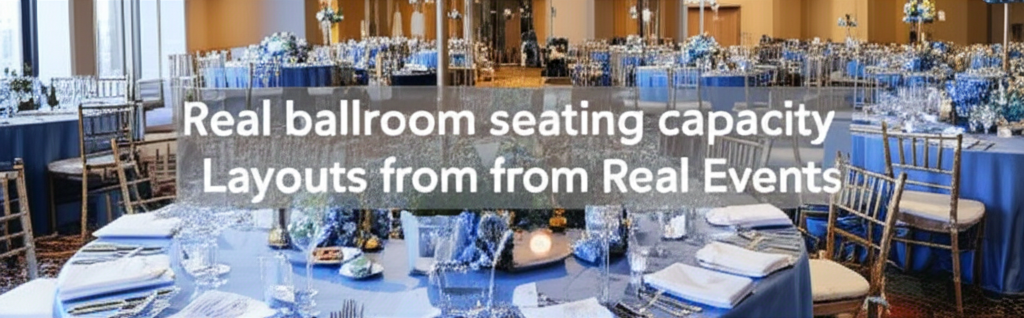
Ah, the seating chart. This seemingly simple task can quickly become a logistical nightmare if you're not equipped with the right tools. The goal? To create a seating chart that balances guest preferences, family dynamics, and venue layout. Luckily, digital seating chart tools are here to make the process significantly easier.
SeatingChartCreator.com is a free online tool that allows you to create and manage your table arrangements with ease. With its drag-and-drop interface, you can quickly add tables, assign guests, and visualize the seating arrangement. You can also customize the table shapes and sizes to match your venue's floor plan. These seating plan tools often integrate with guest list management software, streamlining the process even further.
Design Your Perfect Seating Chart
Free drag-and-drop seating chart creator for weddings, events, and venues. Export professional PDFs in minutes.
Create Free Seating ChartThese tools aren't just about aesthetics; they're about functionality. They help you avoid common seating pitfalls, such as placing feuding family members next to each other or separating close friends. By using a digital seating chart tool, you can create a seating arrangement that maximizes guest enjoyment and minimizes potential conflicts.
How to Create a Seating Chart Using SeatingChartCreator.com
Ready to ditch the sticky notes and spreadsheets? Here's a step-by-step guide to creating a stunning seating chart using SeatingChartCreator.com:
Import Your Guest List
Start by importing your guest list from a spreadsheet or manually adding guests to the platform. Include essential information like names, relationships, and any dietary restrictions.
Design Your Venue Layout
Use the drag-and-drop interface to create your venue layout. Add tables of different shapes and sizes, and position them according to your venue's floor plan.
Assign Guests to Tables
Simply drag and drop guests from your guest list onto the tables. The platform will automatically update the number of seats available at each table.
Customize and Finalize
Customize the appearance of your seating chart by changing colors, fonts, and table styles. Once you're satisfied, finalize the seating chart and share it with your clients and vendors.
Budgeting & Payment Tracking Software: Keeping Finances in Check
Weddings can be expensive, and managing the budget is a critical part of your job. Budgeting and payment tracking software helps you stay on top of income and expenses, ensuring that you (and your clients) don't overspend. These tools allow you to create detailed budgets, track payments, and generate reports, giving you a clear picture of the financial health of each wedding.
Look for software that allows you to categorize expenses, such as venue rental, catering, and floral arrangements. This makes it easier to identify areas where you can potentially save money. Payment tracking features help you keep track of invoices, payments, and outstanding balances, ensuring that you're always aware of where your money is going. Many platforms also offer integration with accounting software, simplifying the process of tax preparation. This can be a lifesaver when tax season rolls around.
With these tools for wedding planners, you can track everything from initial deposits from the couple to final payments made to vendors. This will save you time and prevent any accounting headaches in the future.
Design & Collaboration Platforms: Visualizing the Dream
Weddings are inherently visual events. Clients often have a specific vision in mind, and it's your job to bring that vision to life. Online design and collaboration platforms allow you and your clients to work together to visualize and refine the wedding's aesthetic. From mood boards to floor plan layouts, these tools provide a virtual space for creative exploration.
These platforms often offer features like image sharing, drag-and-drop design, and real-time feedback. You can create mood boards to showcase different color palettes, floral arrangements, and décor styles. Floor plan layouts allow you to visualize the placement of tables, chairs, and other elements, ensuring that the venue is both beautiful and functional. By using these tools, you can effectively communicate your design ideas to your clients and vendors, minimizing the risk of miscommunication and ensuring that everyone is on the same page.
Before You Start Designing
- Gather inspiration images from the client
- Outline key design elements (colors, style)
- Establish budget limits for each design aspect
Time Management Tools: Maximizing Productivity
As a wedding planner, your time is your most valuable asset. Time management tools can help you maximize your productivity and stay on top of your busy schedule. These tools offer features like calendar scheduling, task prioritization, and time tracking, allowing you to allocate your time effectively and avoid procrastination.
Effective time management isn't just about doing more; it's about doing the right things at the right time. By prioritizing tasks and setting deadlines, you can ensure that you're always working on the most important things first. Time tracking features can help you identify time-wasting activities and optimize your workflow. Consider using a combination of calendar scheduling and task prioritization tools to create a time management system that works for you.
Contract & Legal Document Templates: Covering Your Bases
Protect yourself and your business with professionally drafted contract and legal document templates. These templates cover essential aspects of your services, including payment terms, cancellation policies, and liability waivers. Having these documents in place can help prevent misunderstandings and disputes with clients and vendors.
While you can find generic templates online, it's best to consult with an attorney to ensure that your contracts are legally sound and tailored to your specific needs. A well-written contract should clearly outline the scope of your services, the payment schedule, and the responsibilities of both parties. It should also include clauses that address potential issues like force majeure, cancellation, and dispute resolution.
Don't underestimate the importance of having solid legal documentation. It can save you time, money, and stress in the long run.
Website & Social Media Management: Building Your Brand
In today's digital age, having a strong online presence is essential for attracting new clients. A professional website and active social media profiles are your virtual storefront, showcasing your skills, expertise, and portfolio. Website and social media management tools can help you create and maintain a compelling online presence.
Your website should be visually appealing, easy to navigate, and optimized for search engines. It should include information about your services, pricing, and testimonials from satisfied clients. Social media platforms like Instagram and Pinterest are excellent for showcasing your work and engaging with potential clients. Use high-quality images and videos to highlight your best weddings and create a consistent brand aesthetic. Regularly update your website and social media profiles with fresh content to keep your audience engaged.
Common Mistakes to Avoid With Tools for Wedding Planners
Even the best tools for wedding planners are useless if you're not using them correctly. Here are some common mistakes to avoid:
- Over-Reliance on Technology: Don't forget the human touch! While tools are great, personal communication is still key.
- Not Training Staff: Ensure your team knows how to use the tools effectively.
- Ignoring Client Feedback: Use tools to gather feedback, but don't ignore direct communication.
Expert Tips for Maximizing Your Tools
To truly master the art of wedding planning, you need to go beyond simply using the right tools for wedding planners. Here are some expert tips to help you maximize their effectiveness:
- Integrate Your Tools: Connect your tools to create a seamless workflow.
- Automate Repetitive Tasks: Use automation features to save time and effort.
- Regularly Review Your Workflow: Identify areas where you can improve efficiency.
By implementing these expert tips, you can transform your toolkit into a well-oiled machine that streamlines your workflow and allows you to focus on what matters most: creating unforgettable weddings for your clients.
Start creating your dream weddings today!Frequently Asked Questions
The most essential tools for wedding planners in 2026 include project management software for organization, communication platforms for staying connected, seating chart tools for table arrangements, budgeting software for financial management, and design platforms for visual collaboration. A combination of these resources is key to success.
Get Event Planning Tips
Weekly tips on seating arrangements, event layouts, and planning strategies.
SeatingChart Team
Our team of event planning experts is dedicated to helping you create unforgettable events with perfect seating arrangements.
Ready to Create Your Seating Chart?
Start planning your perfect event layout with our free drag-and-drop seating chart creator. No sign-up required to try it out!
Try Free Seating Chart Creator